
Outgrown Drag and its basic AI?
Move beyond a Gmail-only shared inbox with Hiver, bringing omnichannel support, cross-team collaboration, workflows, ticketing, and AI Agents built for complex support into one platform.
Why teams leave Drag for Hiver.
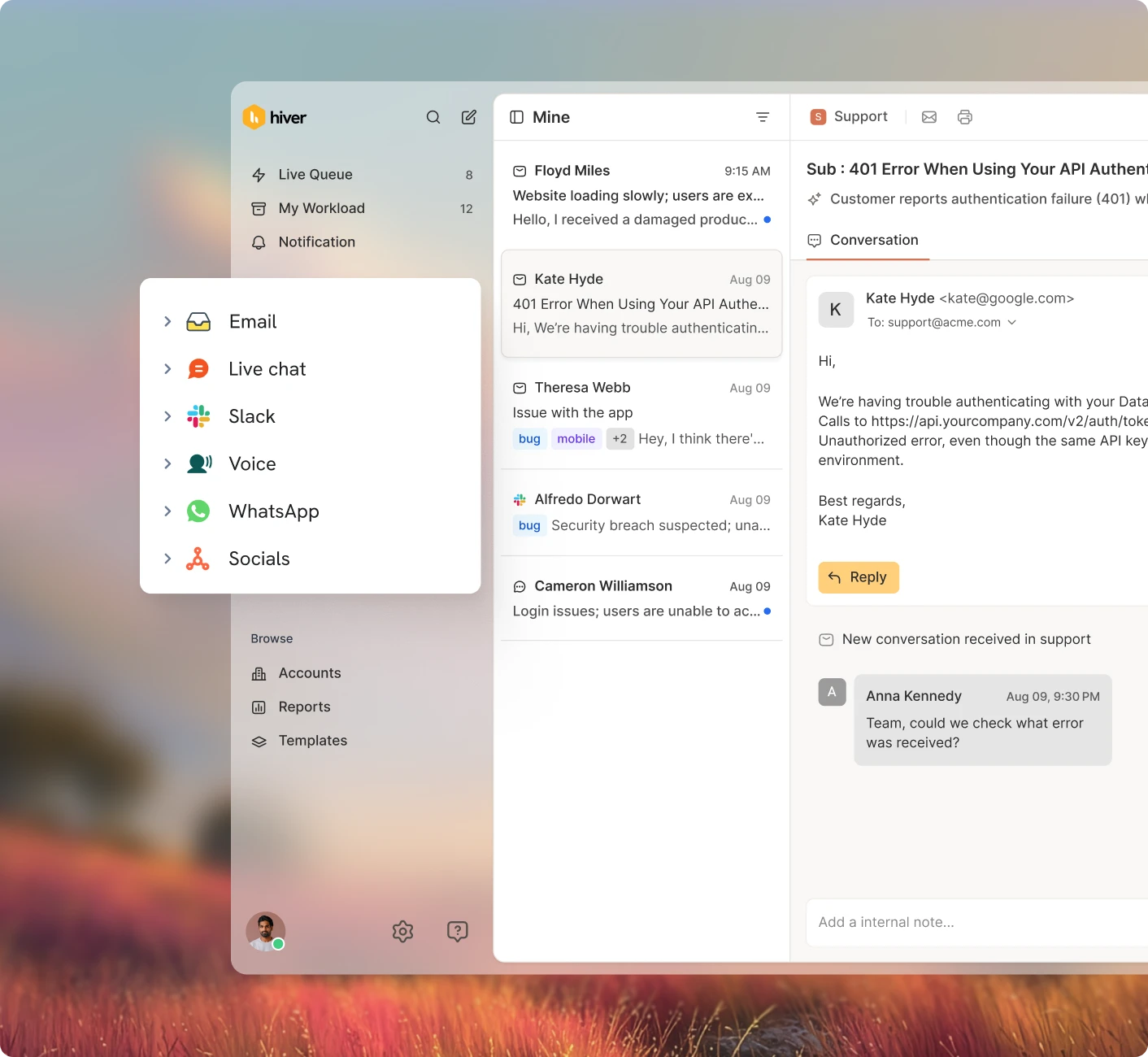
Omnichannel support
Manage email, chat, Slack, voice, WhatsApp, and more from one support platform.
AI built for resolution
Hiver AI drafts, answers, and resolves requests using your help docs, conversation history, and connected customer data.
Fast, even at high volume.
Hiver loads and acts on conversations without slowing your inbox, even as volume grows.
Works with Gmail and Outlook
Run support without tying your operation to a single email provider.
Deep reporting, SLAs, and CSAT
Hiver tracks SLAs, workload, CSAT, team performance, and quality in one place, giving teams deeper visibility for coaching.
Advanced automations
Build multi-step automations, macros, rules, and SLAs that act on data from connected tools.
1,000+ integrations and data sync
Connect your CRM, order systems, and other tools, sync data both ways, and trigger workflows from that context.
A help center that writes itself
Turn resolved conversations into help articles and keep your knowledge base current automatically.
24/7 human support on every plan
Get 24/7 support, onboarding help, and ongoing enablement from a dedicated team.
Email only
Drag is built around email in Gmail. Every other support channel lives in another tool.
AI built for drafts and tagging
Drag AI drafts replies, tags emails, detects sentiment, and summarizes threads, but does not resolve requests end to end.
Glitches and slowdowns.
Email load times can cross 10+ seconds and lag on bulk tasks, making Drag difficult to use.
Limited to Gmail
Drag is a Gmail extension, so teams on Outlook or other providers can’t use it.
Lighter reporting
Drag reports on response time, activity, and closed volume with CSV export, but SLAs and CSAT aren’t core, leaving coaching limited.
Basic rules
Rules cover the basics, but you can’t build multi-step workflows or sync data across tools.
Basic integrations, no data-sync
Integrations are limited and don’t power workflows with synced data, leaving teams to jump between tools.
Limited self-service
Drag’s self-service is lighter and doesn’t build or update knowledge from resolved conversations.
Limited support coverage
Support coverage is more limited, leaving teams with less hands-on help when issues come up.
Transform complex support operations with Hiver.
Collaborate across teams, tools, and channels
Bring the right people into a request without losing context. Teammates can collaborate with private notes, link work to Jira or Asana, and discuss issues in Slack threads tied to the original customer conversation.
Build multi-step workflows across your tools
Bring customer context from your CRM, order systems, and other tools directly into the request. Then build workflows that use that data to route, tag, update records, trigger next steps, and move work forward across systems.
Resolve complex requests with AI Agents
AI Agents follow the procedures your team uses to investigate and resolve requests. They can gather missing details, retrieve context from connected systems, check policies, take actions, and work through multi-step requests end to end.
Bring customer context into every request
Give your team the full picture before they respond. Hiver surfaces CRM data, conversation history, account health, sentiment, calls, and other customer context directly inside the request, so agents do not have to search across tools.
Move off Drag without a migration project
Import your data in a few clicks
Import your shared inboxes, contacts, and conversation history so your team starts with everything already in place.
We help set it up for you
A dedicated onboarding team helps configure integrations, rules, macros, SLAs, workflows, and AI.
Get 24/7 support and enablement
Get 24/7 support, best practices, and hands-on training whenever your team needs it.
Trusted by 10,000+ teams
“With Hiver, we have much better visibility across support conversations. Trying to achieve this level of collaboration without it would be impossible.”
Nathan Strang
Ocean Freight Operations Manager
50% faster resolution
“Hiver’s Asana integration turned collaboration into a connected process. It lets our teams track progress, share updates, and close the loop on complex projects — right from where communication starts.”
James Ribera
Director of Account Management
30% faster responses
“Zendesk never fit our team’s needs. We needed a system built for relationships, not requests. Every improvement we made with Hiver strengthened how our team operates.”
Wes Gibson
Revenue Operations Manager
198 hours saved
“When a product request comes in via email, we open it up, tag it to track the information, and fill in the details right inside Hiver. The Jira ticket gets created automatically — no need to log into Jira separately or start a new ticket from scratch. It just works.”
Taylor Garceau
Program Manager, Customer Success
97% CSAT score
“Hiver has completely transformed our workflow. The ability to collaborate and track progress across conversations in real-time has eliminated delays and made our team far more efficient.”
Jill Tarnoff
Sr. AP Specialist
65% faster resolution
“We looked at Zendesk — the problem was their lack of support. They weren’t responsive. We found Hiver’s support to be responsive and genuinely proactive.”
John Torres
Director of Customer Communication
100% SLA compliance
Frequently Asked
Questions
1. How long does setup take?
Hiver is intuitive to configure, and a specialist can help set up AI, automations, integrations, and workflows, plus train your team before go-live.
2. What makes your support different from other vendors?
Every customer gets a dedicated customer success manager, 24/7 support, and ongoing team training. Support and enablement are included, not reserved for a premium add-on.
3. Does Hiver meet our compliance requirements?
Yes. Hiver supports ISO, GDPR, CCPA, and HIPAA compliance, with security and permission controls designed to scale with your organization.
4. Isn’t Drag cheaper than Hiver?
At entry, yes. Drag is a lighter Gmail tool. Hiver adds omnichannel support, deeper automation and reporting, SLAs, AI Agents, and 24/7 support for teams handling more complex work.
5. Is Hiver harder to learn than Drag?
No. Hiver is designed to be intuitive and easy to configure, so teams can get comfortable quickly without a steep learning curve.
6. How is Hiver’s AI better than Drag’s?
Hiver AI goes beyond drafting and tagging. AI Agents can work through multi-step requests, use context from connected systems, take action, and resolve work end to end.
7. How hard is it to switch from Drag?
Guided onboarding and a dedicated support team help you import your data, connect integrations, and configure workflows and AI around the way your team works.